
I’ve finally been able to establish some baseline measurement on a clean environment, my inner scientific core feels clean again :)
The setup
I removed KOReader from the .adds directory of my Kobo and put in a pristine one straight from their repository. Since before I was using a nightly version to be able to access CloudStorage+ functionalities I decided to use the new shiny stable 2026.07.01 to further reduce the variables in play.
I also decided to not install any of the plugins I used to use. I installed only app storeto avoid having to connect again the kobo to my laptop once I’d be finished experimenting.
The experiments
I’ve been able to pull out three long reading stints (thanks again Matt Dinniman). For each experiment I woke the Kobo from sleep, waited around a minute and then I zeroed the battery stats.
Experiment 1 - No WiFi - Brightness level: 6 - 1:14 hours
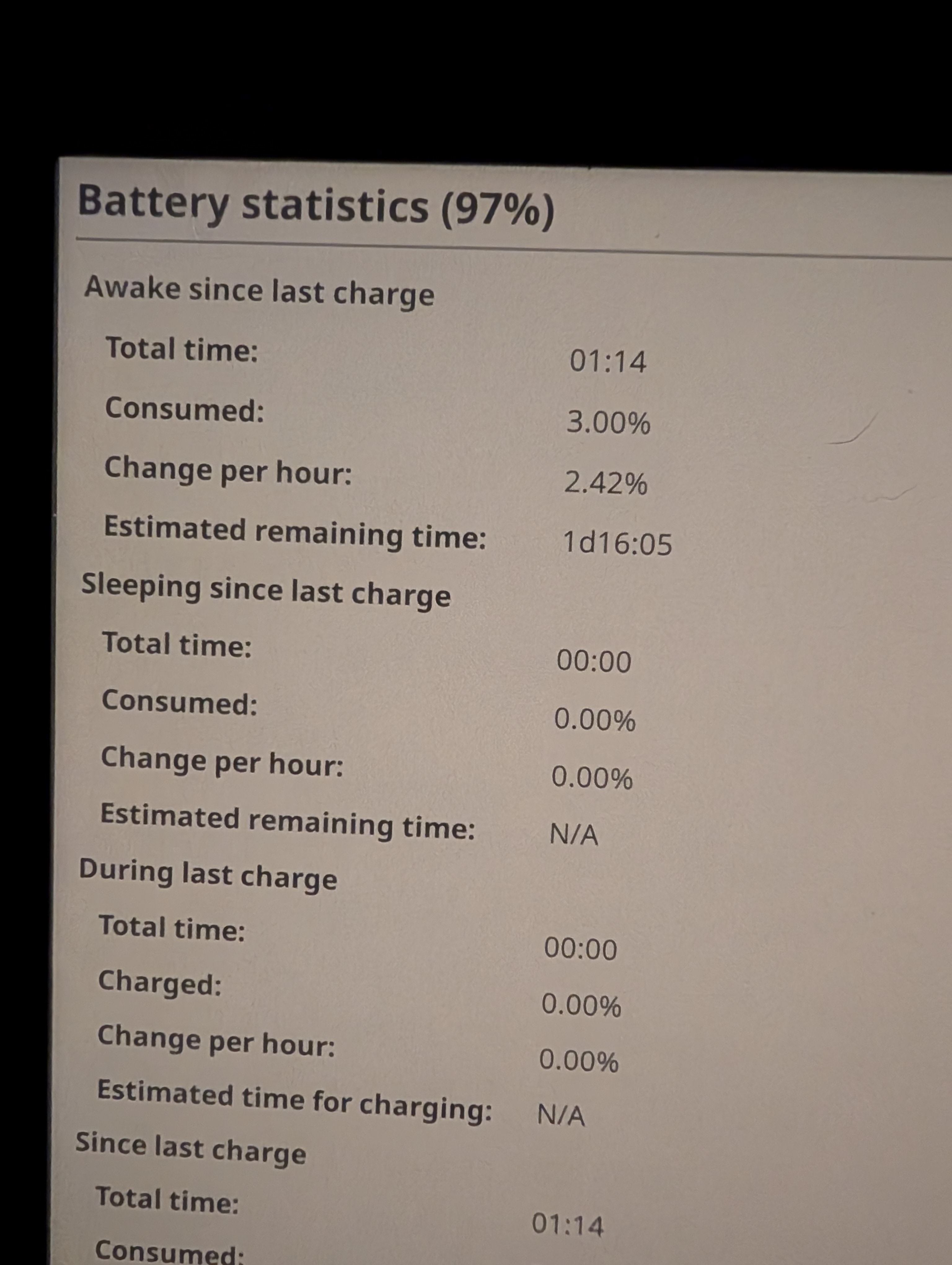
As we can see it accounted for a 2.42% hourly rate, that seems quite reasonable (it would yield ~40 hour reading and it is inline with the standard reader).
One strange fact that occurred when I was reading is that for the first hour the gauge didn’t move from 100% and then it jerked to 97% but I pull aside this investigation for another time.
Experiment 2 - WiFi on - Brightness level: 6 - 38 minutes
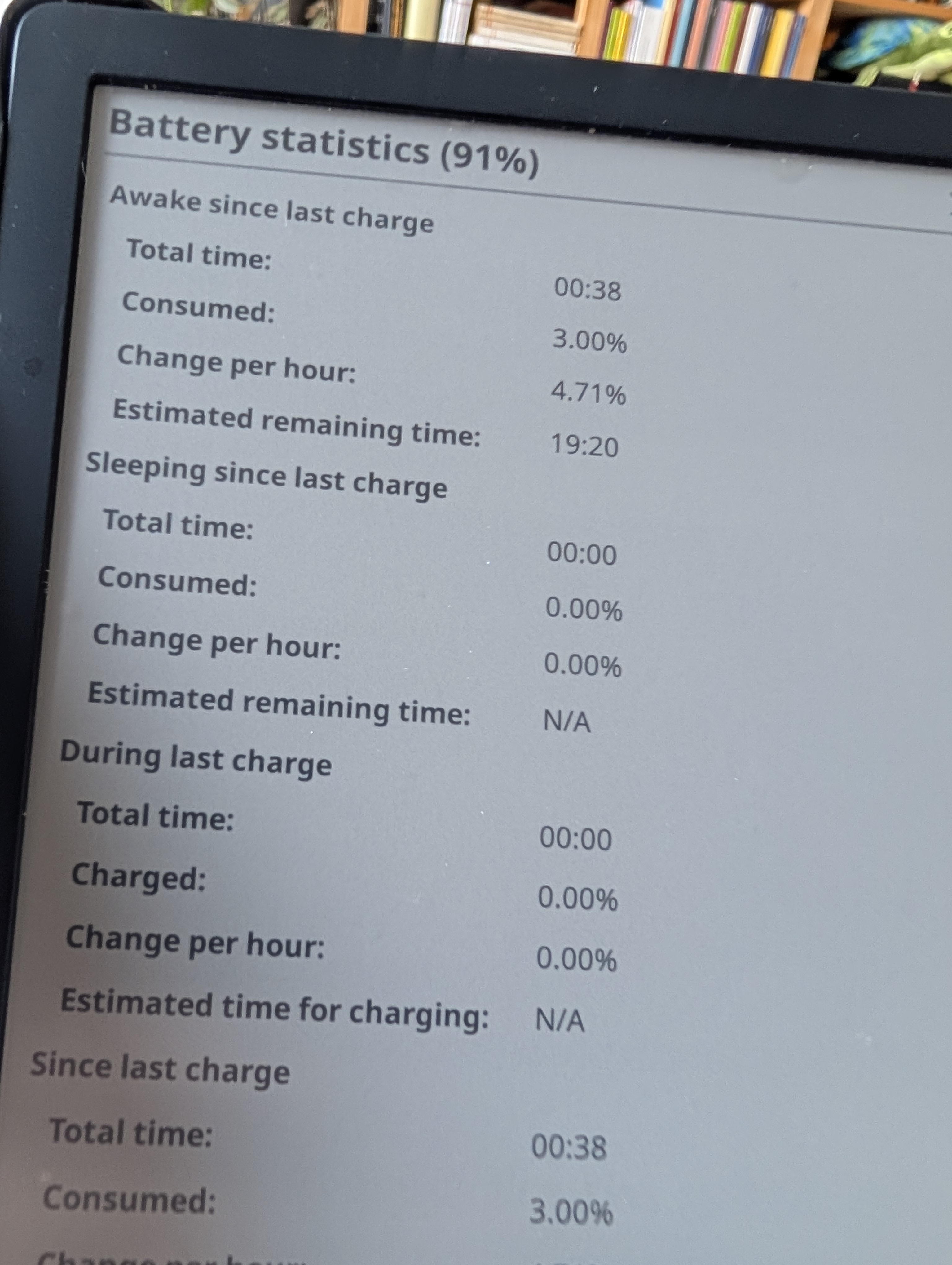
This time it hit a nasty 4.71 hourly rate, nearly double than with WiFi off. But it seems inline with the radio baseline power-draw. One point that worth mentioning is that I purposely left the Disable Wi-Fi when inactive setting off.
Experiment 3 - No WiFi - Brightness level: 6 - 46 minutes
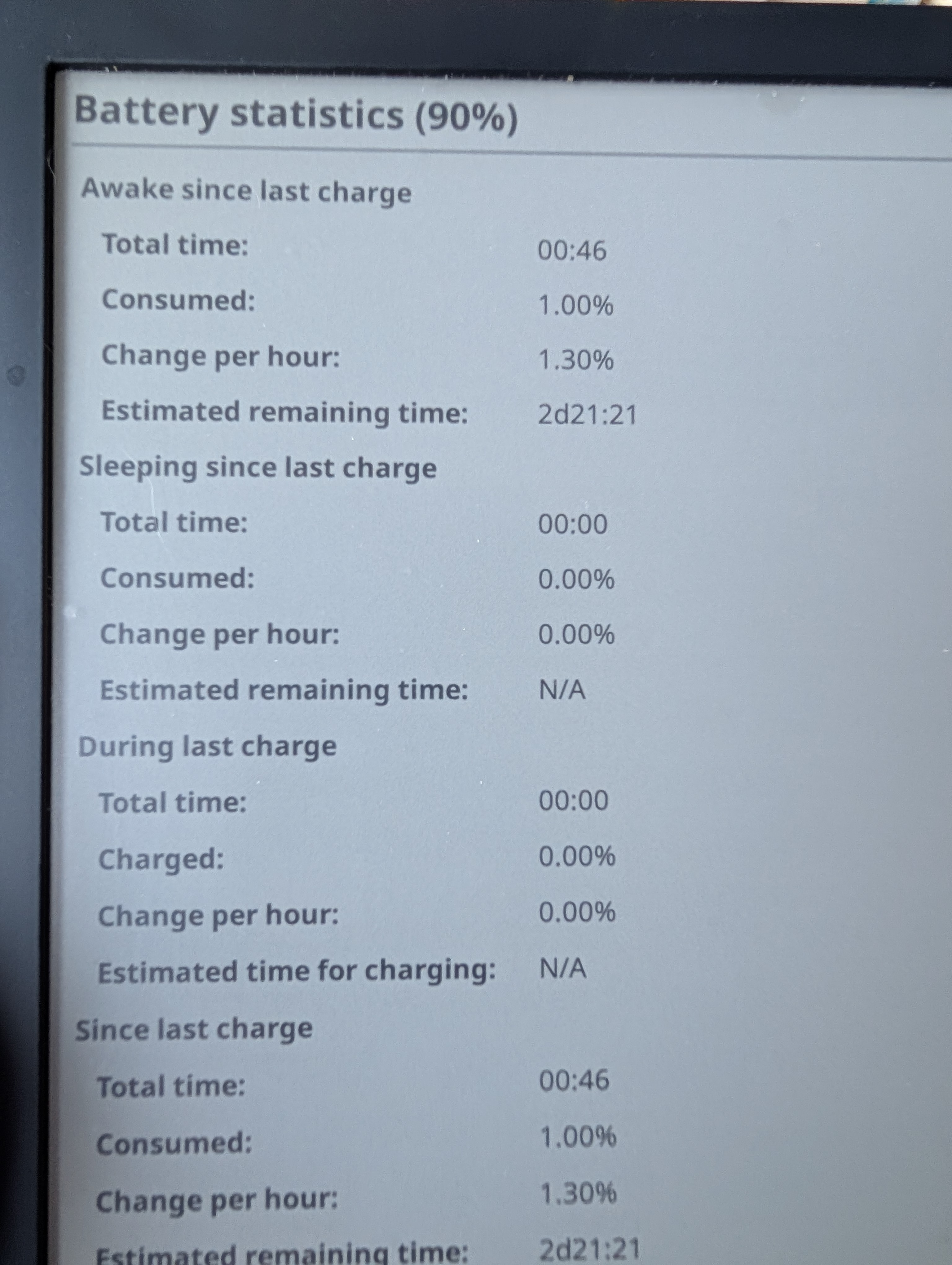
Just to be sure I performed a third control experiment turning off the WiFi again, it reported just a 1.30% hourly draw. But as for experiment 1, maybe if I kept reading a little longer I would notice a sudden spike.
What I learned
I dived into KOReader’s code again and networklistener.lua shed some light around line 85.
Enabling the aforementioned setting Disable Wi-Fi when inactive will kill the radio when not in use. A plugin that may need the radio can use the beforeWifiAction/runWhenOnline wrappers, so it will transparently call turnOnWifi and do its things, a watchdog will kill it again if not needed after a while.
Next steps
- Perform an experiment with
Disable Wi-Fi when inactiveturned on. - Update
AnnotationSyncto use those holy wrappers. - Perform an experiment with
AnnotationSyncenabled.
See you on part 3 .